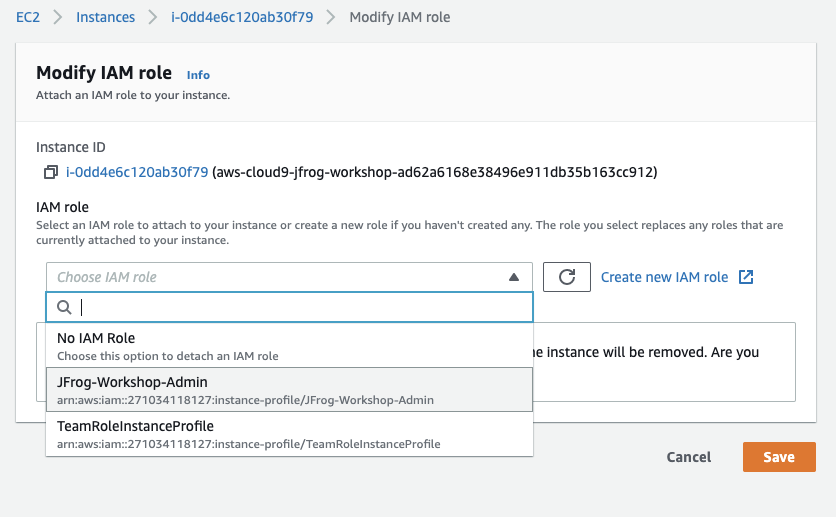
Attach the IAM role to your Workspace
- Follow this link to find your Cloud9 EC2 instance.
- Select the instance by clicking the checkbox, then choose Actions ► Security ► Modify IAM role.
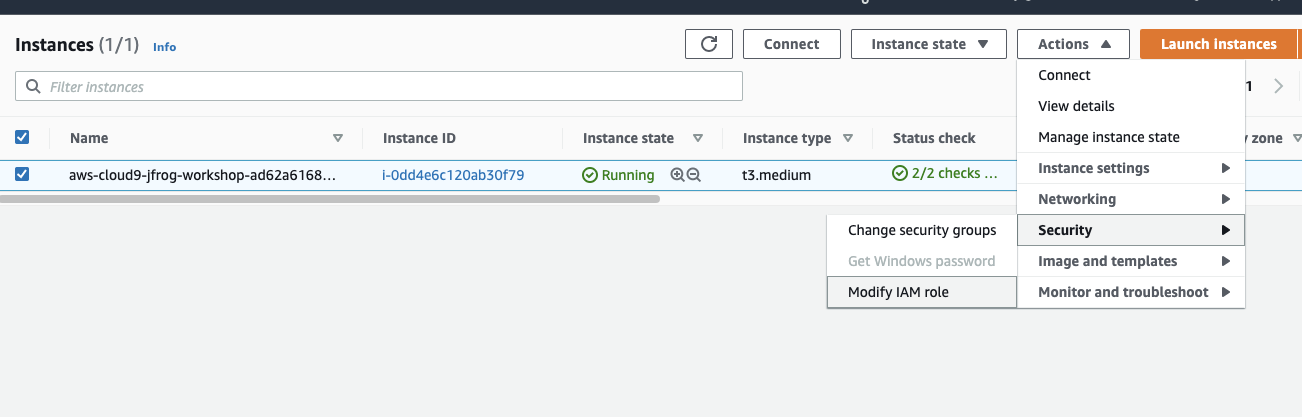
- Select your zone from top if that is not the one.
- Choose JFrog-Workshop-Admin from the IAM Role drop down, and click Save.